
The Ad Unit Matrix is the central control panel for all Advally ad placements on your XenForo forum. Each ad unit type has its own card with independent enable/disable controls and placement settings.
Access the matrix at Admin → Options → Advally Advertising. The unit cards appear at the top of the page, followed by the Plugin Configuration card.
How the Matrix Works
The Adligature platform (Site 919 template) delivers a full suite of ad units by default. The plugin’s job is to let you selectively disable or tune individual units to match your forum’s UX requirements. Units that are enabled here are controlled by Adligature; units that are disabled are suppressed on your site.
Tip: Start with all units enabled and disable any that conflict with your theme layout or user experience goals. Advally support can advise on which units perform best for forum traffic.
Header Leaderboard
Unit ID: header_leaderboard
A large banner ad displayed at the top of every page, above or below the navigation bar. This is one of the highest-visibility placements on your forum.

Available Controls
- Enable/disable the unit
- Desktop and mobile visibility toggles
- Maximum frequency cap (impressions per session)
Forum List Page
Unit ID: forum_list_inline
Inline ad unit shown on the main forum index — the page listing all your forum categories and nodes.
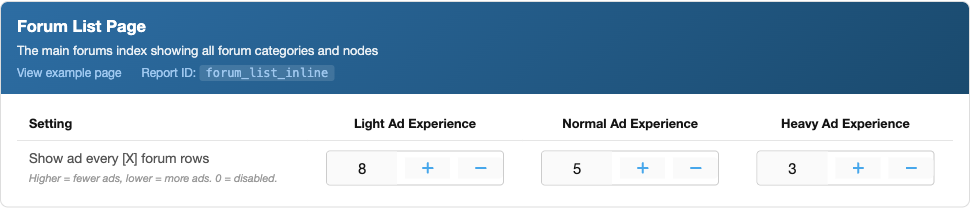
Available Controls
- Enable/disable the unit
- Desktop and mobile visibility
- Position within the forum list (1st, 2nd, 3rd occurrence)
Forum View Page (Thread List)
Unit ID: forum_view_inline
Inline ad unit displayed inside a specific forum section, among the list of threads.
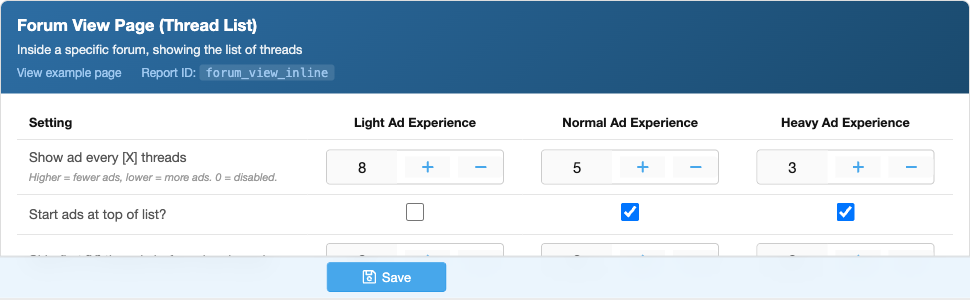
Available Controls
- Enable/disable the unit
- Desktop and mobile visibility
- Insertion position in the thread list
Thread View Page (Between Posts)
Unit ID: thread_inline
Ads inserted between individual posts while a user is reading a thread. This is typically the highest-traffic placement for active forums.
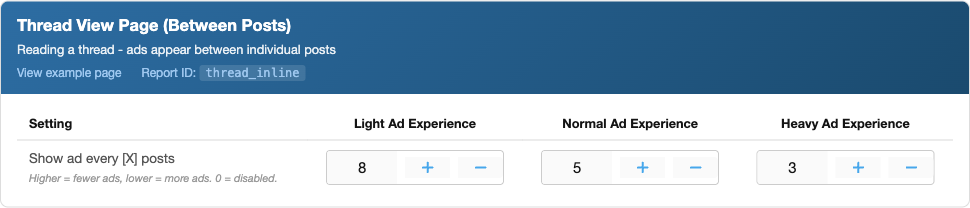
Available Controls
- Enable/disable the unit
- Desktop and mobile visibility
- Frequency — how many posts between each ad
Video Player
Unit ID: video_player
An outstream video ad unit that appears within thread content. Outstream video plays without sound and only when visible in the viewport.
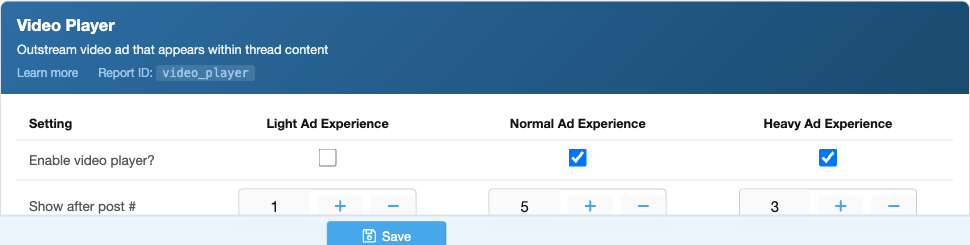
Available Controls
- Enable/disable the unit
- Desktop and mobile visibility
Content Recommendation Widget
Unit ID: recirculation
A widget showing sponsored content recommendations, typically placed after the last post in a thread or at the bottom of a page.
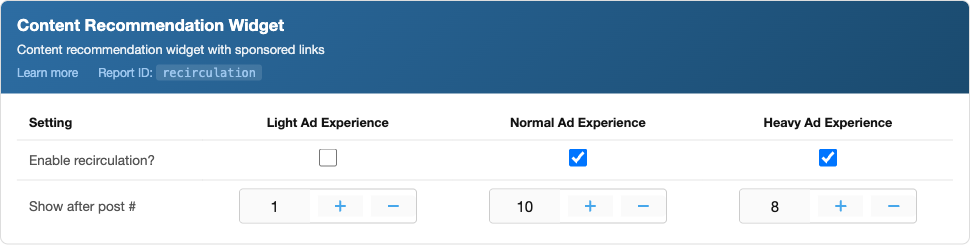
Available Controls
- Enable/disable the unit
- Desktop and mobile visibility
Quiz Widget
Unit ID: quiz_widget
An interactive quiz or poll widget with sponsored content. Engages users while generating ad revenue.
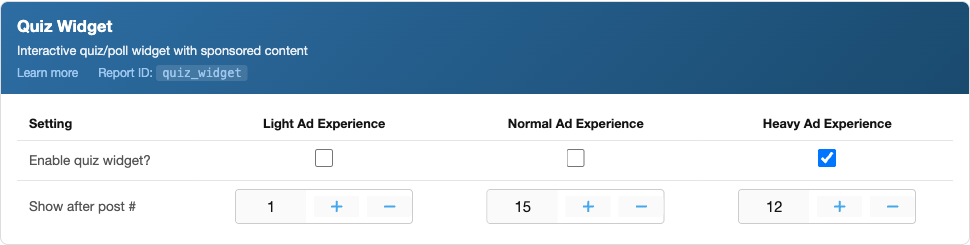
Available Controls
- Enable/disable the unit
- Desktop and mobile visibility
Interstitial Ads
Unit ID: interstitial
Full-screen overlay ads that appear between page views (e.g., when navigating from a thread list to a thread). Shown at a controlled frequency to avoid disrupting the user experience.
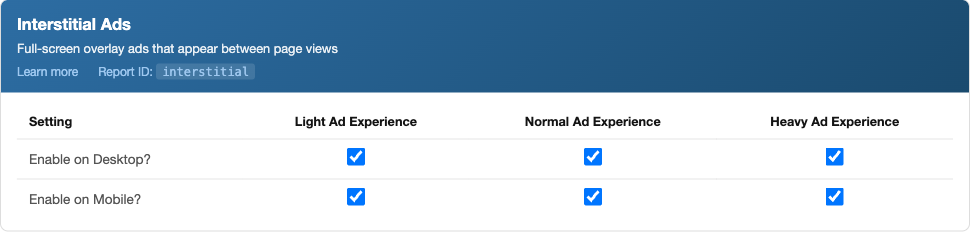
Available Controls
- Enable/disable the unit
- Frequency cap (page views between interstitials)
- Delay before the close button appears
Bottom Adhesion (Sticky Footer)
Unit ID: bottom_adhesion
An ad bar that sticks to the bottom of the screen while the user scrolls. Remains visible throughout the session until dismissed.
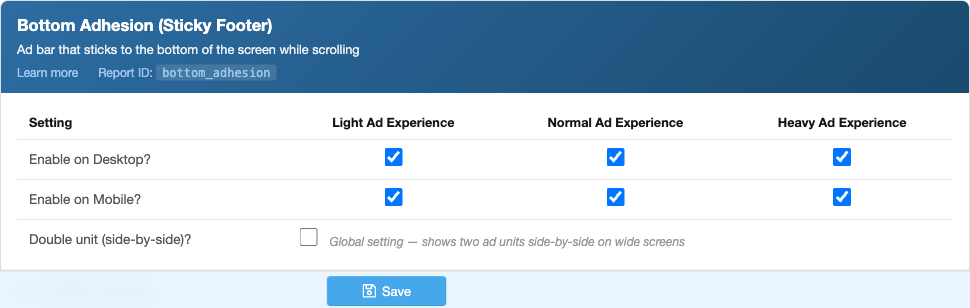
Available Controls
- Enable/disable the unit
- Desktop and mobile visibility
- Close button behaviour
Top Adhesion (Sticky Header)
Unit ID: top_adhesion
An ad bar that sticks to the top of the screen, appearing above or below the forum navigation bar.
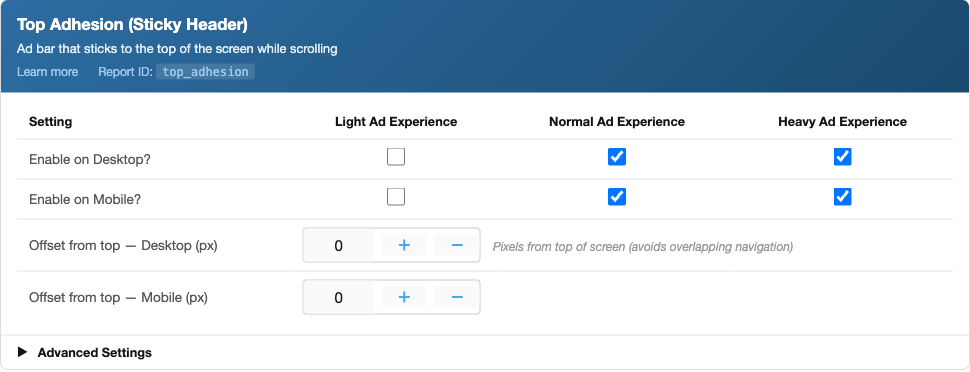
Available Controls
- Enable/disable the unit
- Desktop and mobile visibility
- Z-index / layer position relative to navigation
Side Adhesion (Sticky Sidebar)
Unit ID: side_adhesion
A vertical ad unit fixed to the left or right edge of the viewport. Only shown on desktop (wide-screen) layouts.
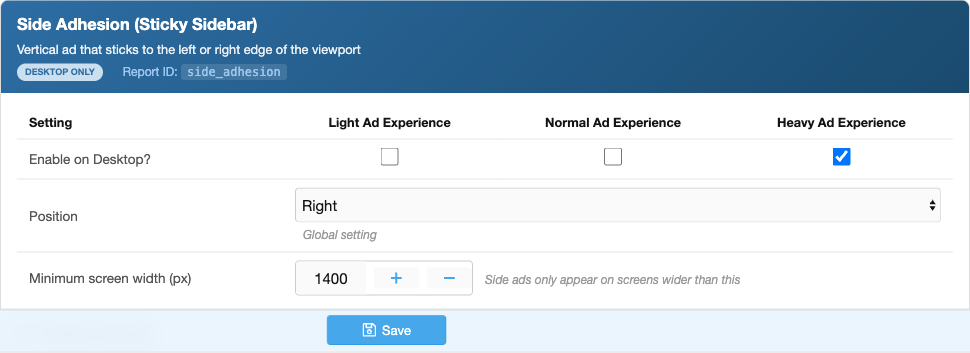
Available Controls
- Enable/disable the unit
- Left or right side positioning
- Desktop only — automatically hidden on mobile