For XenForo 2.3
Forum App
Keep your board easy to find, in search engines and in AI answers, and earn from ads when you choose to.
Download and pair your Forum App
- Download the plugin and install it in your site's admin panel.
- Open the Advally plugin settings and choose Connect to Advally.
- Sign in with the account you used to enroll, select your site, and approve the connection to pair it.
Free to install. Ads are subject to site approval, at 20% of ad revenue when switched on, with Net 60 payment terms.
What it does
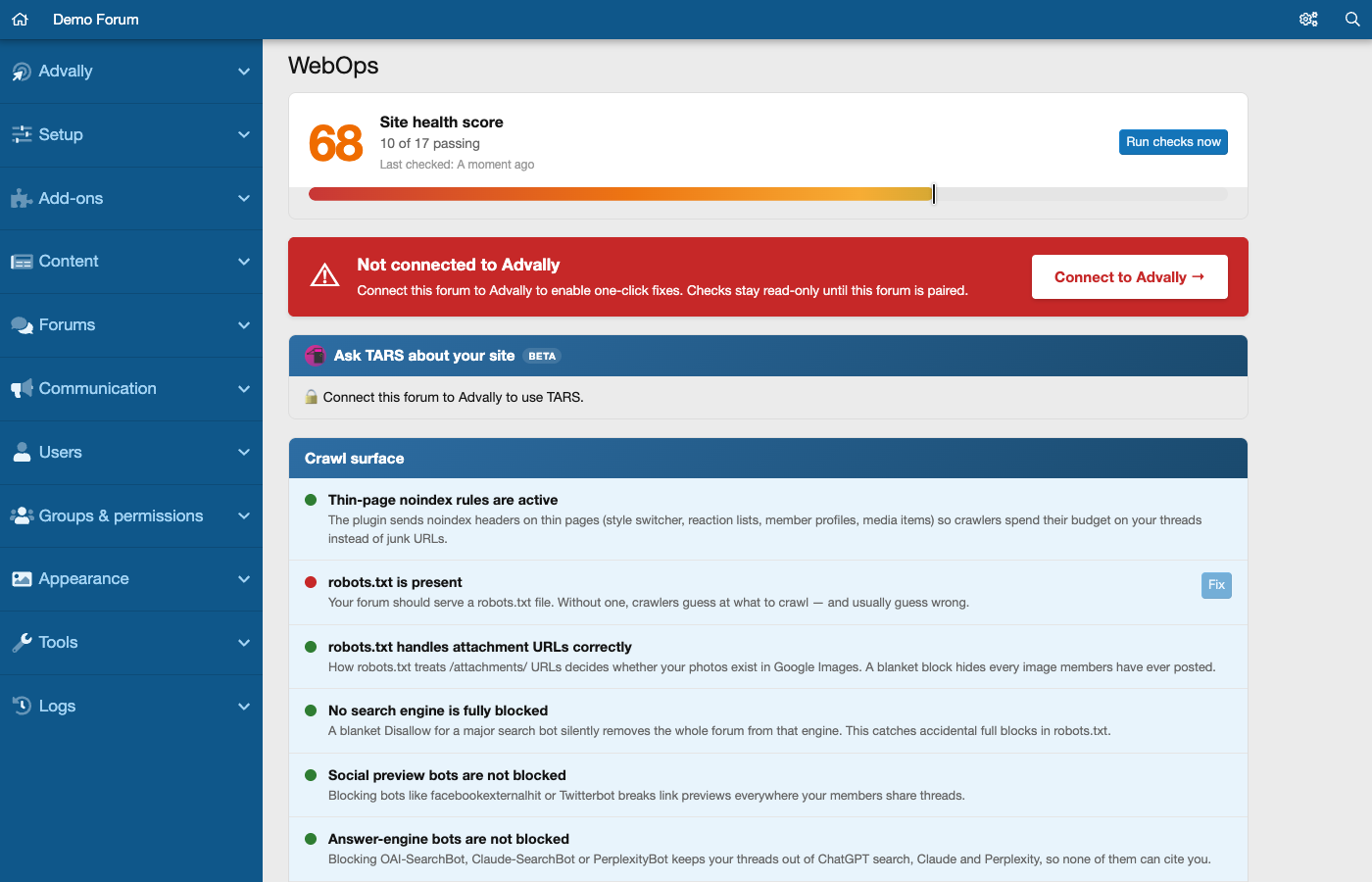
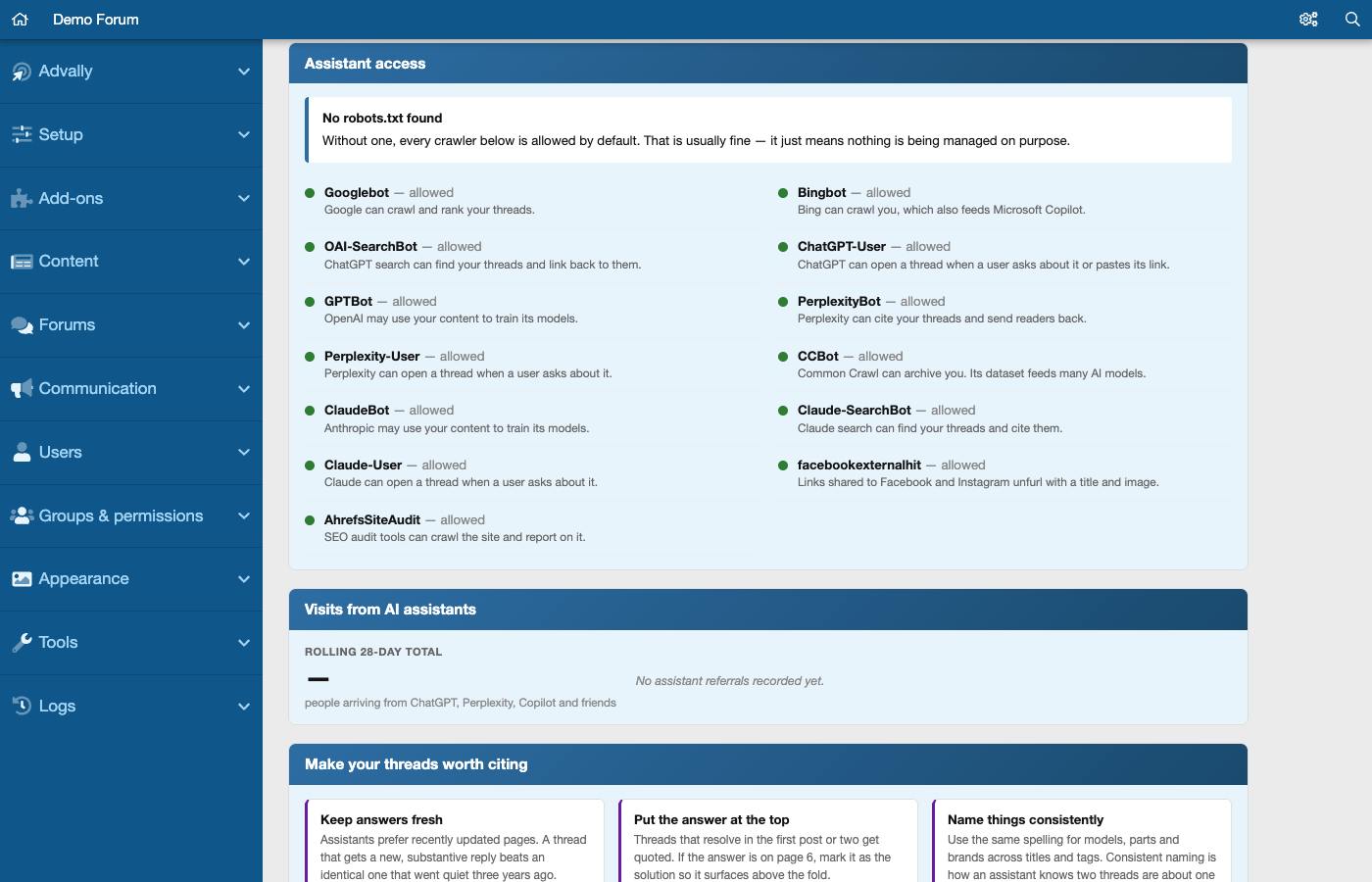
- Checks that search engines and AI crawlers can reach your board, and tells you in plain English what blocks them.
- Counts the visits that arrive from AI assistants such as ChatGPT and Perplexity.
- Checks that XenForo's sitemap is on and, when you switch on IndexNow, tells Bing and other IndexNow engines about new threads within minutes.
- Keeps your ads.txt in sync, with nothing to edit by hand.
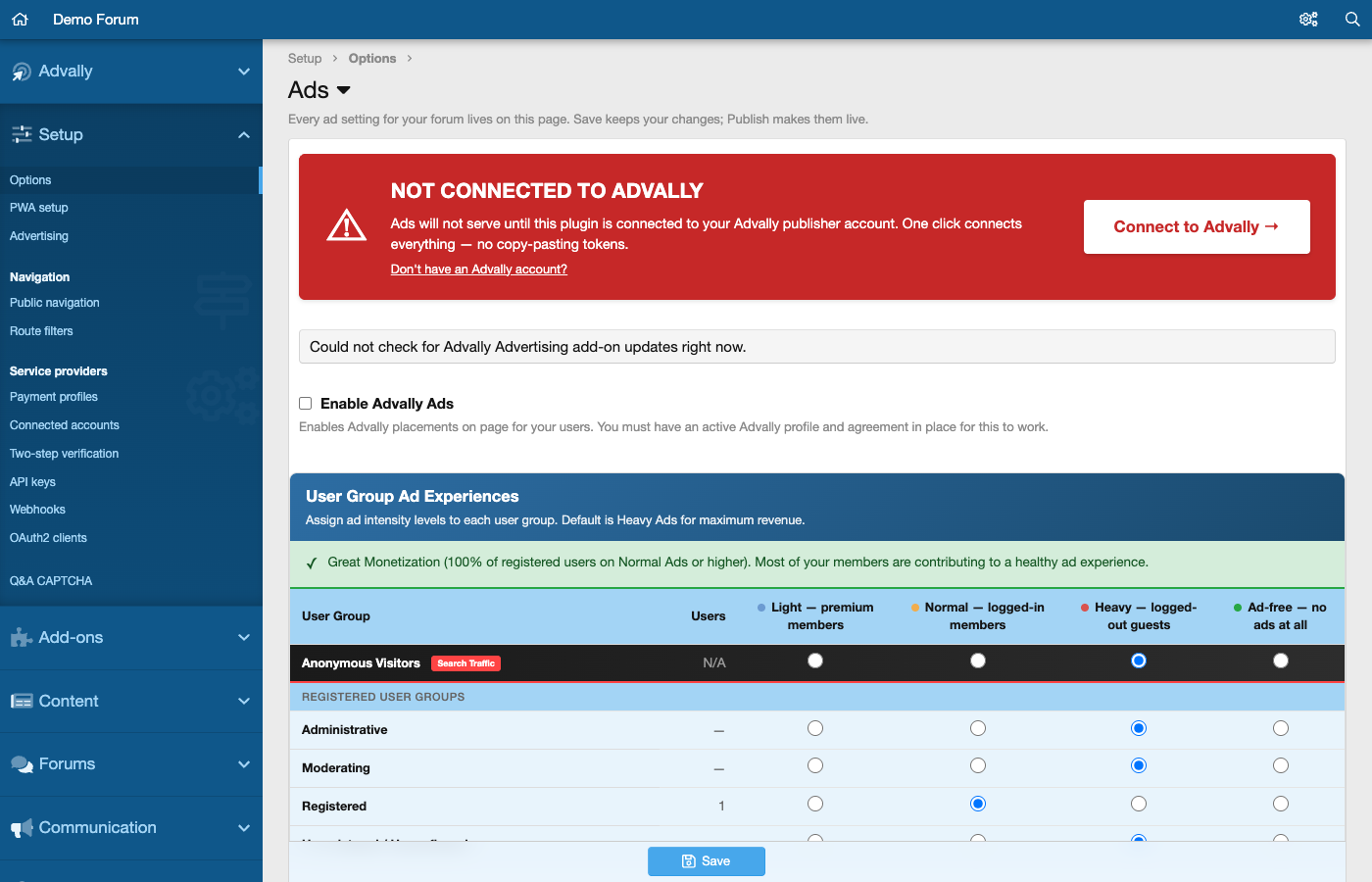
- Sets ad intensity for each user group: light, normal, heavy or ad-free.
See it work
Screenshots
What it costs
Free to install. Ads are off until you switch them on; after that, Advally keeps 20% of the ad revenue and pays you the rest, Net 60.
Want the full checks, with our team doing the fixes? Website Operations includes the complete versions of these tools.