
When comparing performance, looking at Year over Year revenue is the single most important metric to ensure that Advally is living up to your expectations

First off, head over to Advally’s Reporting system, found at https://reporting.advally.com/.

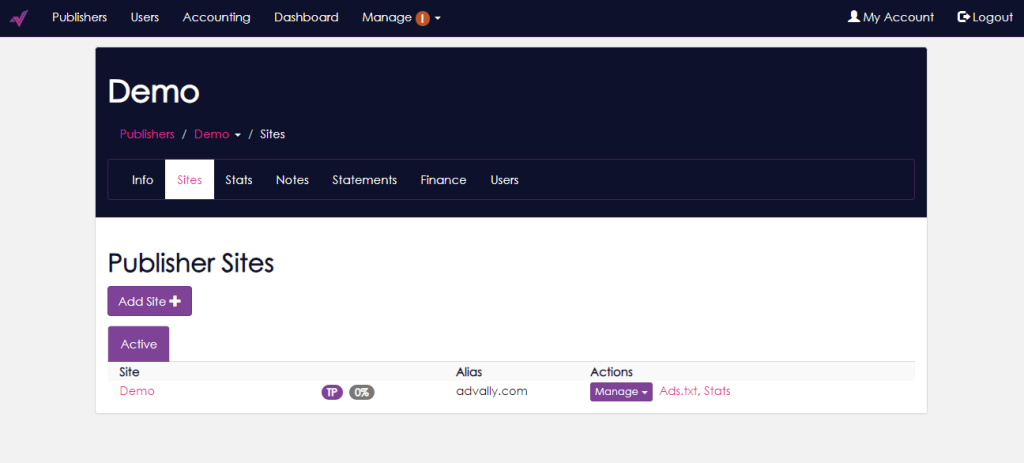
You will want to Navigate to the stats page of the individual site you are looking at within your Publisher Account by clicking “Stats”:  
image
How can I check my Year Over Year revenue? 8


You then should look at last 30 days of revenue for your site:  
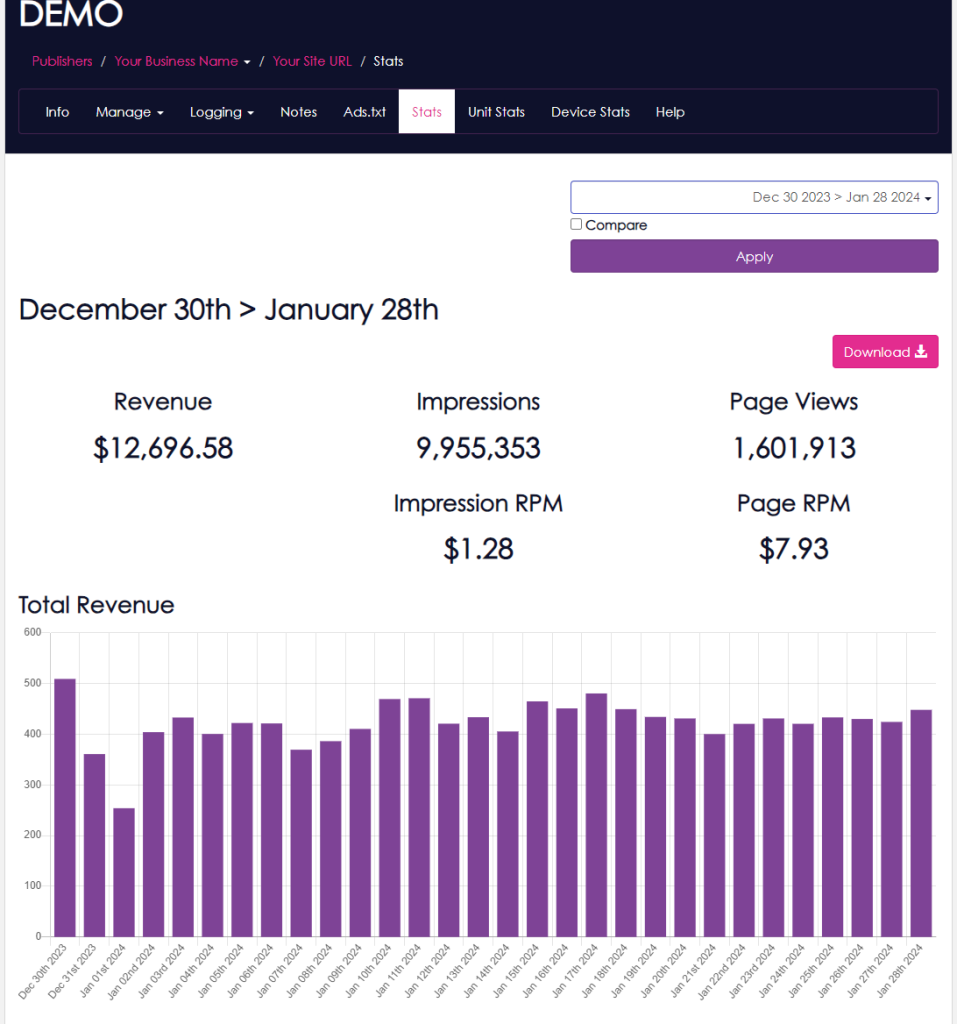
image 1
How can I check my Year Over Year revenue? 9


You can choose any date range you wish from the Date Selector field at the top right:  
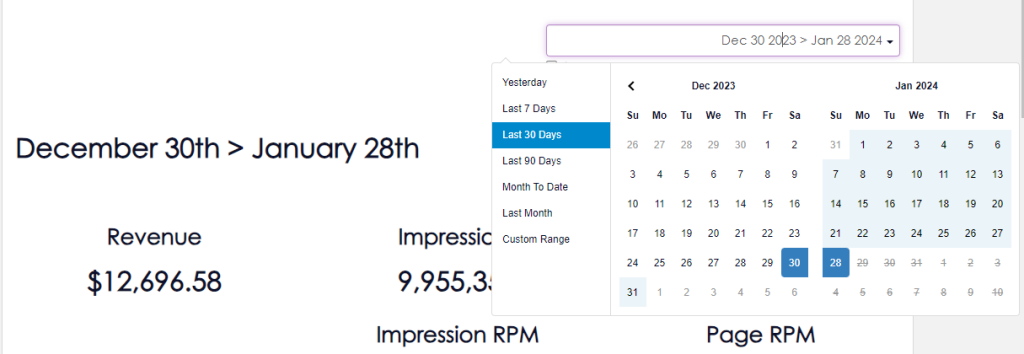
image 2
How can I check my Year Over Year revenue? 10

When you are ready to look at Year-over-Year statistics, select the checkbox beside “Compare”

image 3
How can I check my Year Over Year revenue? 11


Then, when the date selector to comes up, select “Year over Year” from the menu available:  
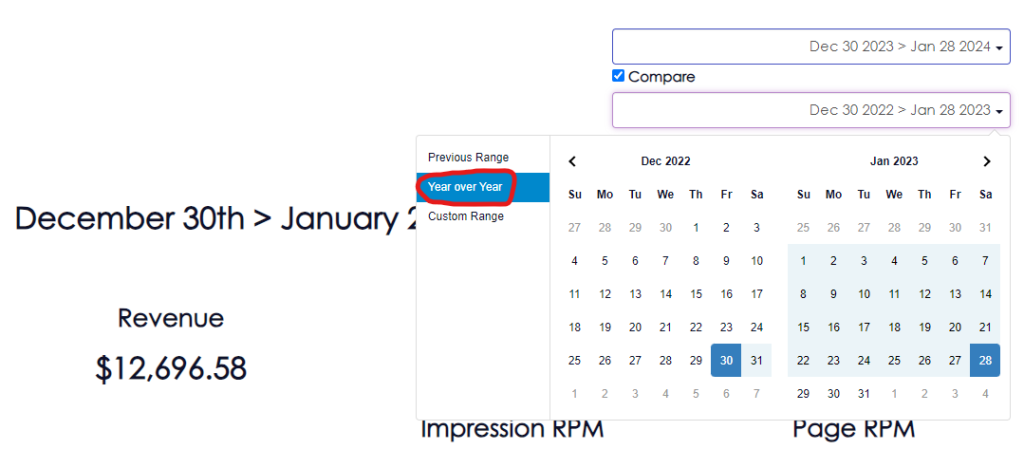
image 4
How can I check my Year Over Year revenue? 12

Once you click Year over Year, you will need to select “Apply” in order to get the data from our system:  

image 5
How can I check my Year Over Year revenue? 13


You will now be given all of the statistics which show you Year-over-Year performance, if you have been with Advally for more than one full year:  
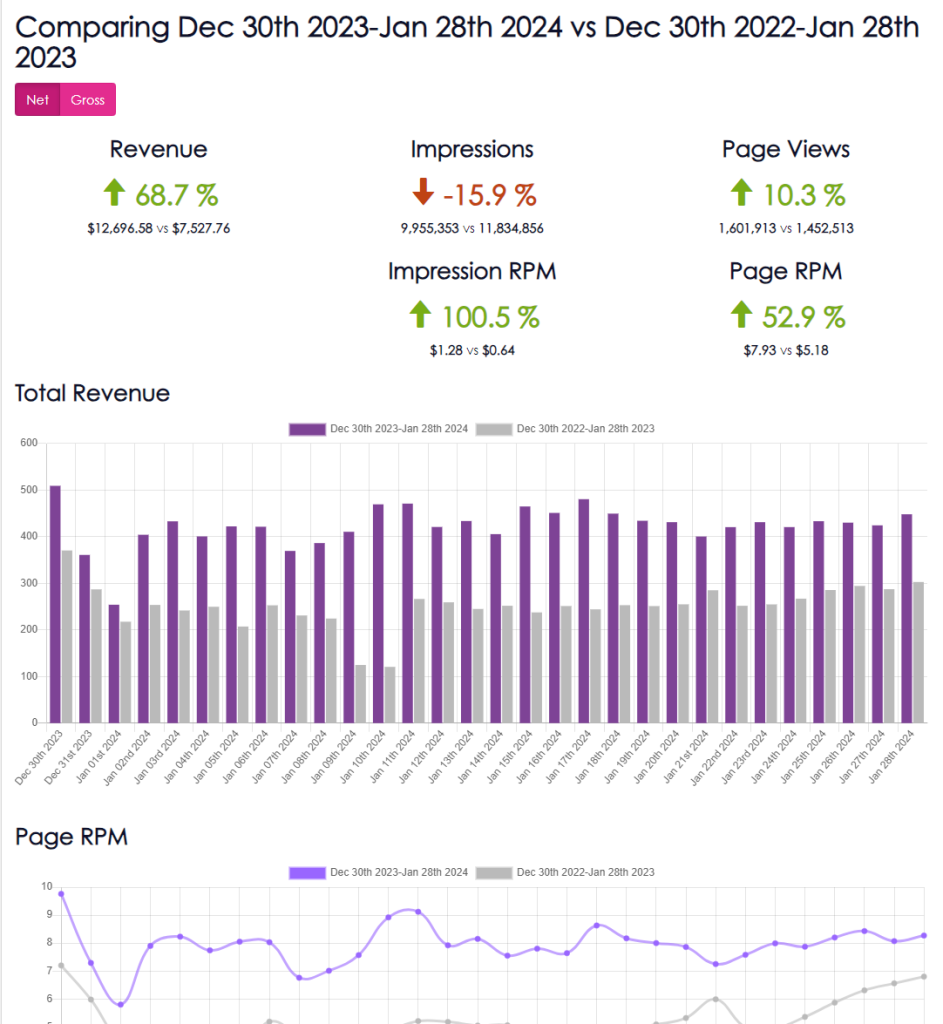
image 6
How can I check my Year Over Year revenue? 14


This same process can be used to check other date ranges against each other, so you can get an idea of how things are going.   Remember to look at the traffic numbers in the compared range, as traffic has a dramatic effect on overall earnings.   

If you have any issues, [email protected] is always here to support you as are any of our staff you regularly speak with!

Related Articles

  • Advally WordPress Plugin

    What it is The Advally Advertising plugin is the official Adligature ad integration for WordPress sites. It is the WordPress counterpart to the XenForo 2 plugin that runs on Audiokarma, Audizine, and the other forum properties — same ad stack, same targeting model, same revenue protections, expressed in WordPress terms. In one sentence: it loads…

    Read More

  • Using 1Password with Advally (sharing access securely)

    We never send passwords by email, text, or chat. Advally shares logins and credentials with you — and collects the access we need to set things up — through 1Password, a secure shared vault. It works both ways and takes about five minutes to set up. 1. Accept your invitation You’ll get an email invite…

    Read More

  • Advally XenForo 2 Plugin: Beta Feedback Widget

    The Beta Feedback Widget is a floating feedback button built into the Advally XenForo plugin for Advally WebOps publishers only. It allows trusted forum users (typically admins and moderators) to submit feedback about the plugin directly from the live forum, creating a ticket in the Advally WebOps support queue. The widget only appears on sites…

    Read More