
There has been a major new update to Adligature, our Reporting and management platform unlocking a number of new tools for your monetization.
We use the word “Property” to refer to a Website or App. You can have many different properties under your single Network agreement with Advally. Previously you would have to email a request to add a new property, but we’ve radically simplified that process.
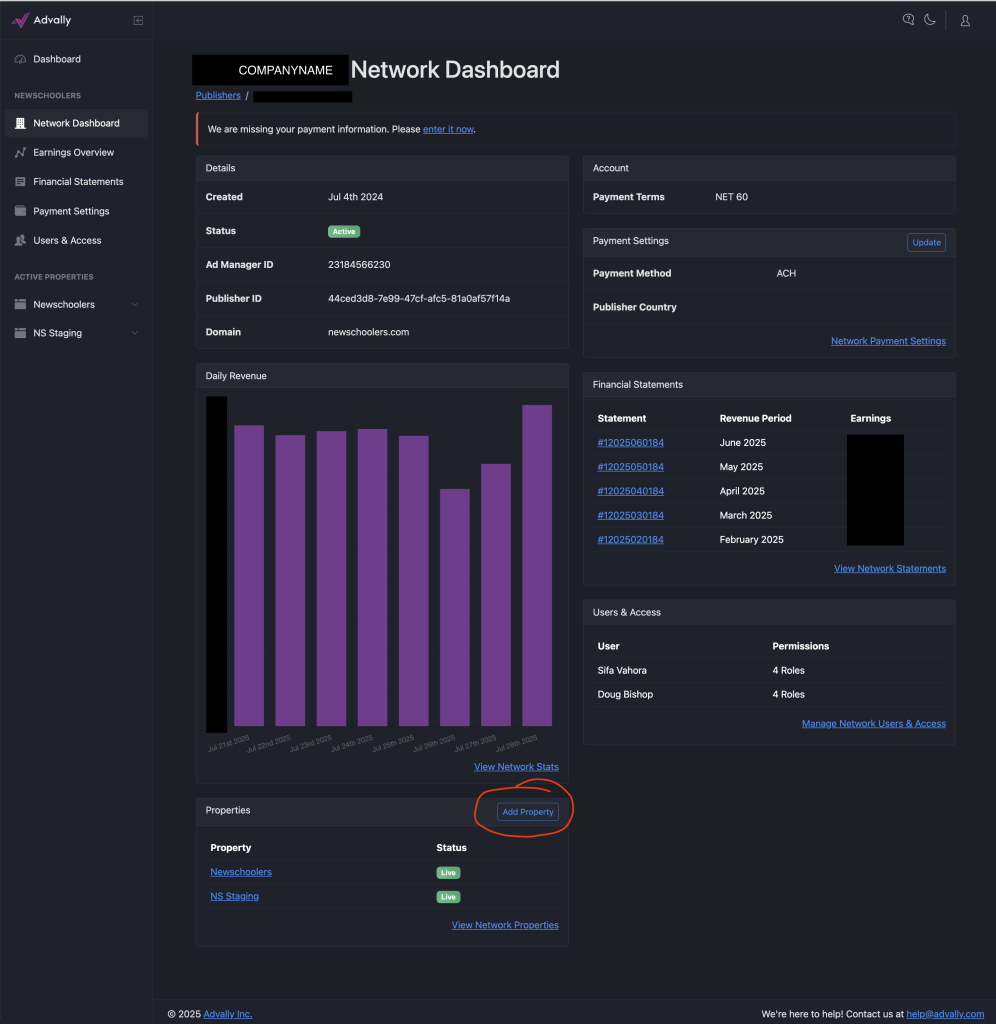
When you are logged into the Client Dashboard (Adligature) all you need to do is click on “Add Property” From the “Properties” section of the dashboard:
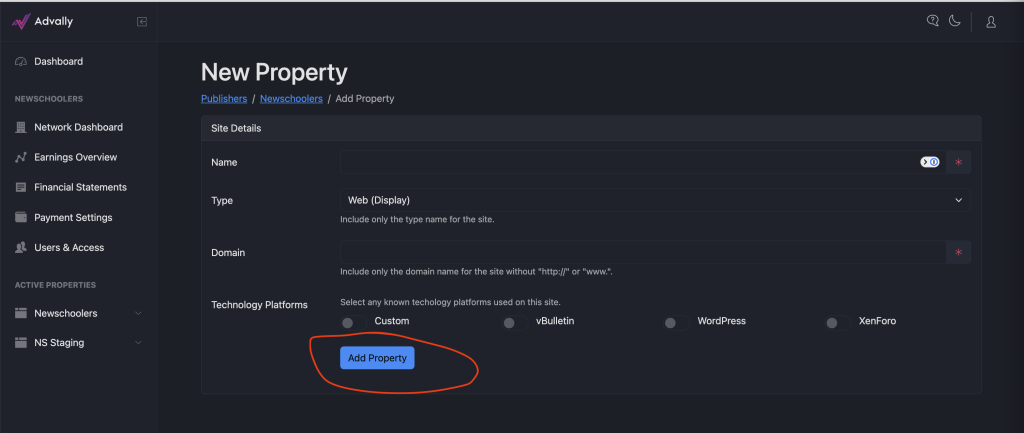
This will bring up our interface to begin adding your new property. All you need to do is Name it and give us the exact URL (No Https:// or www.) and select “Add Property” and this will submit your new property to be reviewed and onboarded to your network.
Note: “Custom” is what you should fill out for Technology platforms if your technology platform is not listed.
The system will then update you on the status of your submitted property. It has to be reviewed and set up so the process can take anywhere from a few days to a week – but once you’ve submitted it here it should be ready for monetization soon!