
If you need to add ads.txt lines of your own for any reason, our system allows you to add as many lines as you wish using the “Custom” section.
Common reasons to need custom lines:
- Widgets that run outside of the Advally System
- Enabling Open Bidding for publishers that run their own GAM
- Switching to a different Ad Management company without disrupting revenue
- Comment modules such as Disqus or other features which are ad supported
- AdSense if a publisher is running it separately in addition to AdX
- Publisher running their own GAM and having Price Priority Programmatic Deals
In order to ensure maximum Revenue while running Advally Advertising, you must have our ads.txt live. Adding lines will not disturb revenue, whereas changing your ads.txt and missing lines will have a severe negative impact.
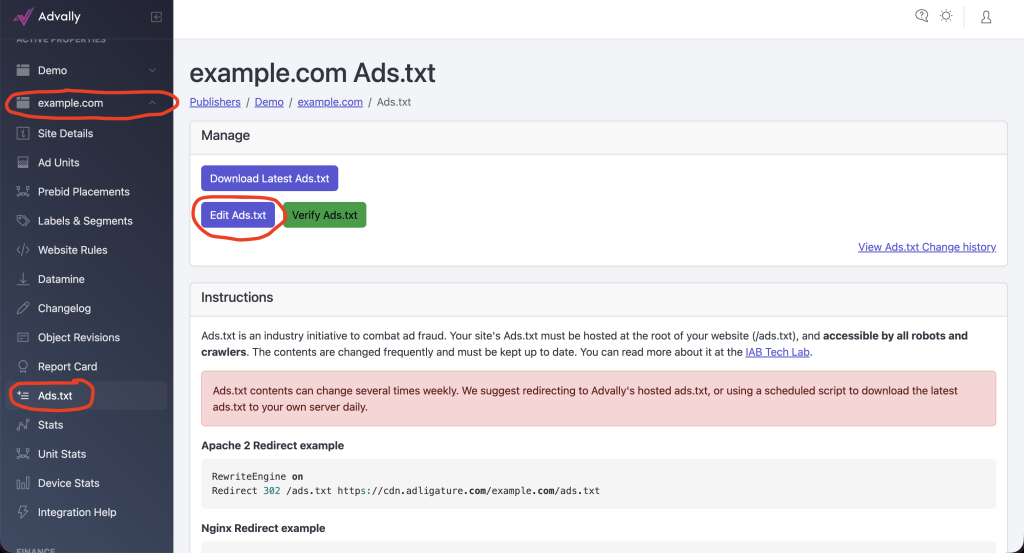
If you visit your Publisher Dashboard after logging in, and navigate to your Property (example.com in the image below) and hit the “Ads.txt” navigation you will be brought to the Ads.txt page. In order to add custom lines, select “Edit Ads.txt”:
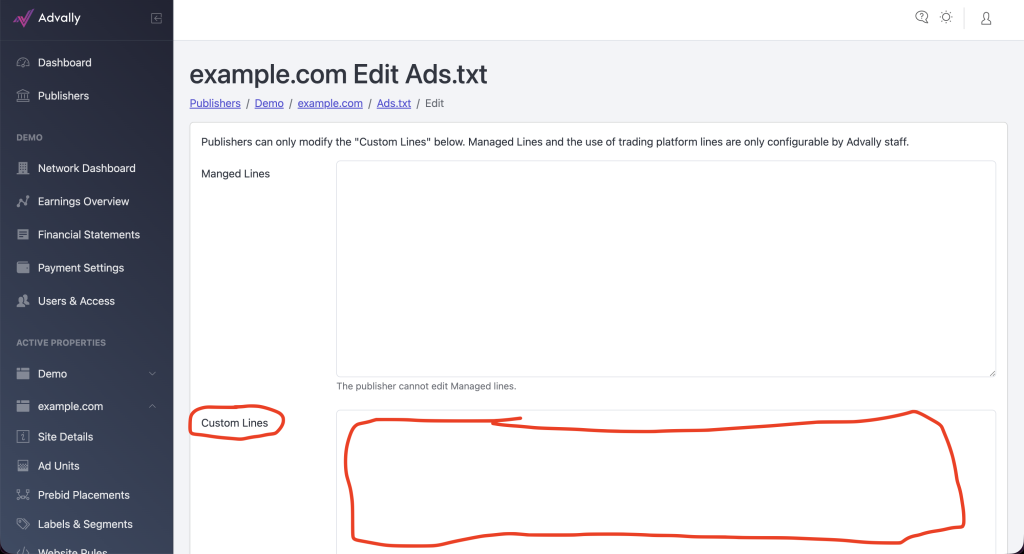
This will open up an interface where there is a text input box labelled “Custom Lines” which you can paste in whatever you wish:
Once you have pasted in the lines, simply click “Save Changes” at the bottom:

Your Ads.txt will immediately deploy, and if you are using a Redirect it should show up on your site instantly. It can take time for Caches to update, so try using an incognito window if you want to check it, or after about 15 minutes you can use the Advally Ads.txt Verification to ensure things are in sync.
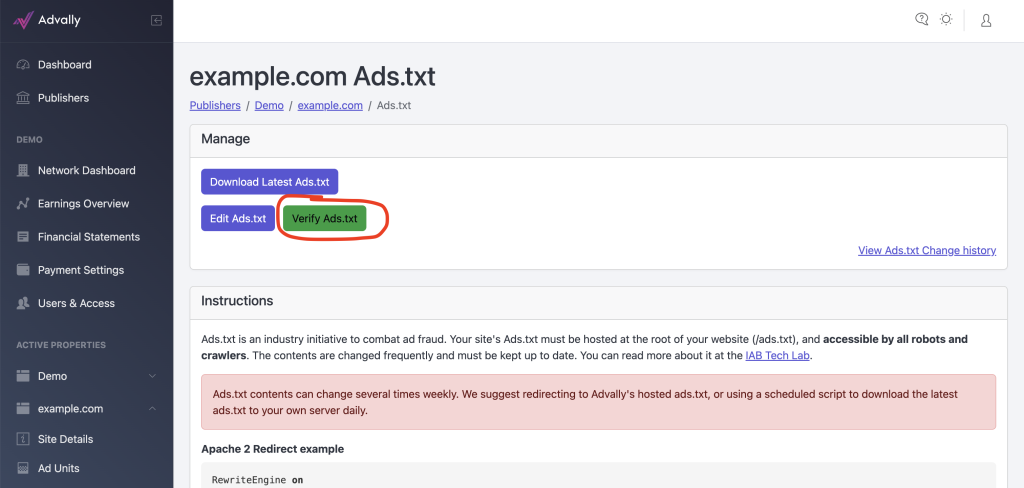
Head back to your Ads.txt page and select “Verify Ads.txt”:
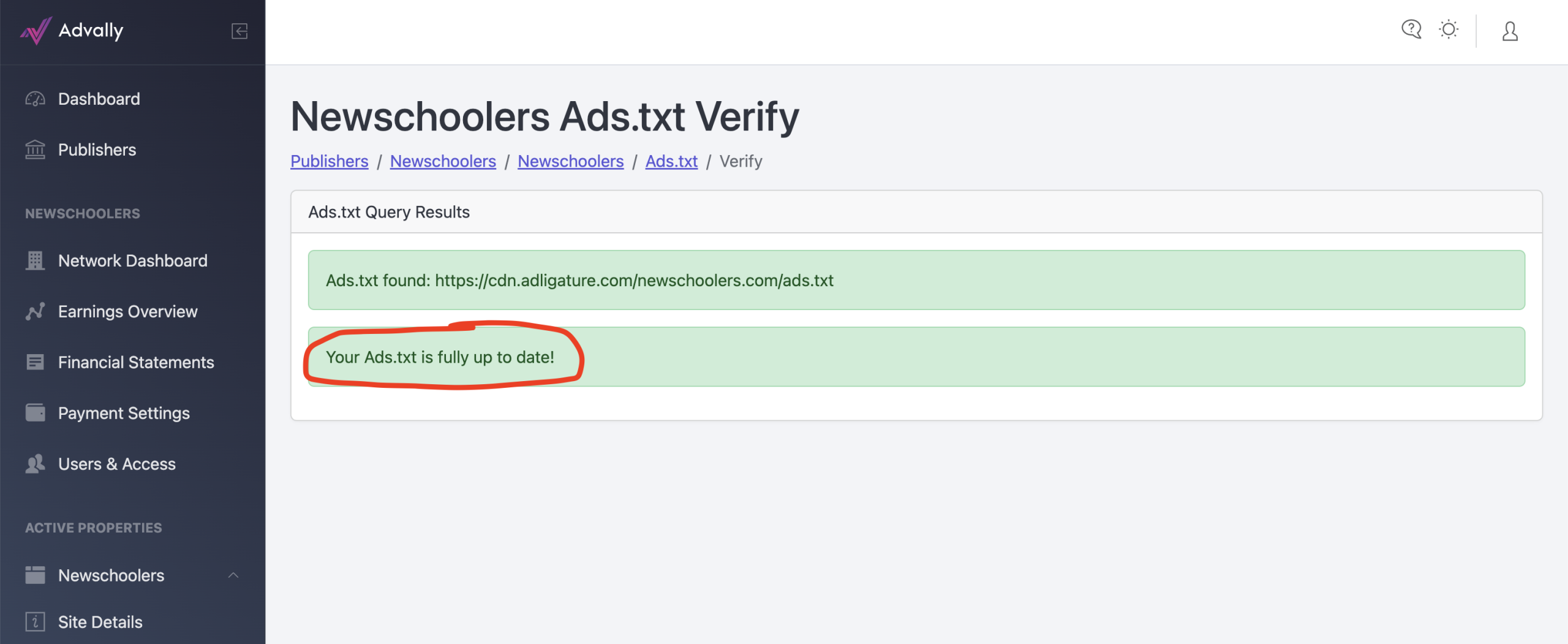
Once you click that, if the ads.txt is up to date live on your site you will see a conformation message that it is up to date:
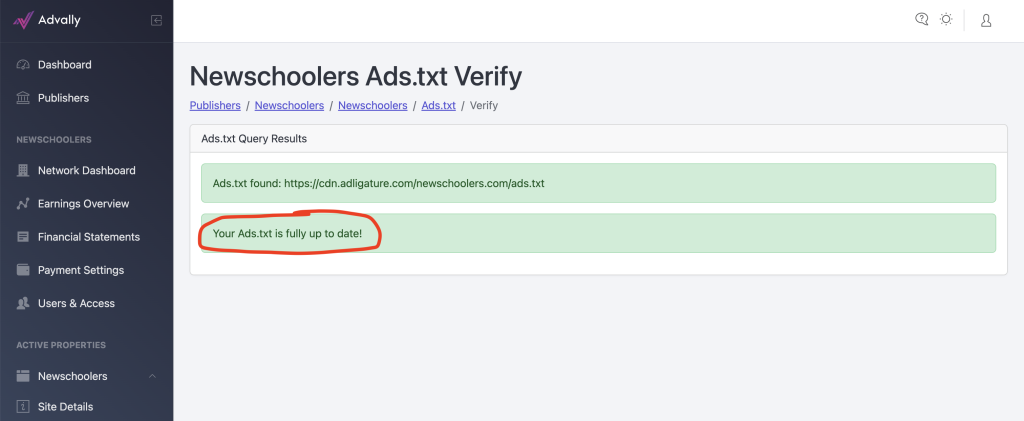
If it is not up to date, give about 20 minutes for various Caches to clear around the internet and try again.
Congratulations, you have added custom Ads.txt lines!