
If you are not using the automatic redirect for Ads.txt you will have to check for new updates periodically.

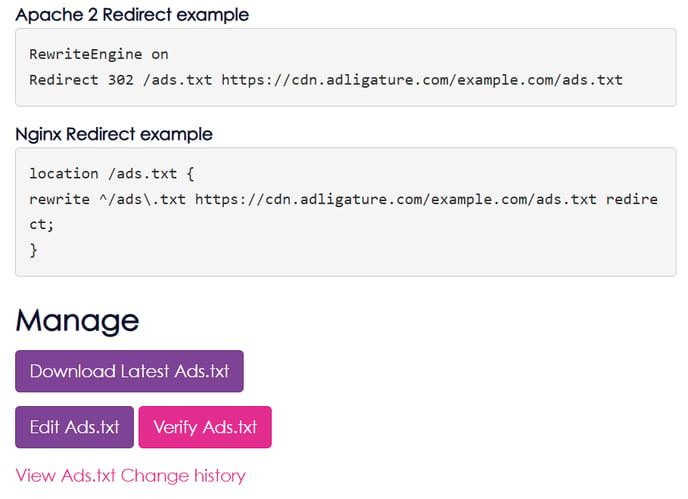
  1. Visit your Publisher account in Advally Reporting
  2. Click on “Sites” to get the list of sites, then click “Ads.txt”
  3. Click on the “Verify Ads.txt” button
  4. The verify results will indicate of there are outdated lines 

If there are outdated lines, from the Ads.txt page click on “Download Latest Ads.txt”, and upload this version to your site under “/ads.txt”.
image

Related Articles

  • Adligature: Statements

    What are Statements? The type of statement each publisher receives is based on their publisher type. Trading Platform publishers receive monthly statements that report the publisher’s accrued earnings across all of their properties. Typically this statement shows how much Adligature will pay the publisher based on their NET payment terms. Premium Publishers receive invoices which…

    Read More

  • FS Poster: Facebook First-Comment Auto-Posting

    Connect your social accounts and publish so FS Poster shares each post as a native Facebook photo with the article link in the first comment – the setup that maximizes reach.

    Read More

  • Advally WordPress Plugin

    What it is The Advally Advertising plugin is the official Adligature ad integration for WordPress sites. It is the WordPress counterpart to the XenForo 2 plugin that runs on Audiokarma, Audizine, and the other forum properties — same ad stack, same targeting model, same revenue protections, expressed in WordPress terms. In one sentence: it loads…

    Read More