SSPs must have uninhibited access to your site’s Ads.txt. Inability to access ads.txt can compromise earnings if demand partners cannot verify your site’s supply paths.
A common problem with accessing /adst.xt is that certain CDNs like CloudFlare can sometimes challenge incoming requests from crawlers which then cannot access the required contents.
This can be avoided by adding a custom Configuration Rule in the CloudFlare Rules section.
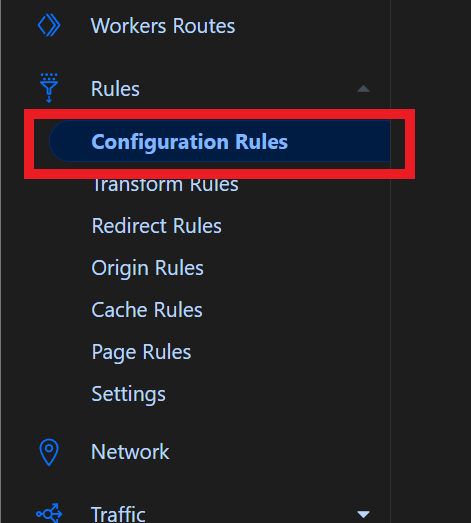
- Browse to Rules > Configuration Rules
2. Create a new Configuration Rule, call it something like “Don’t Block Ads.txt”
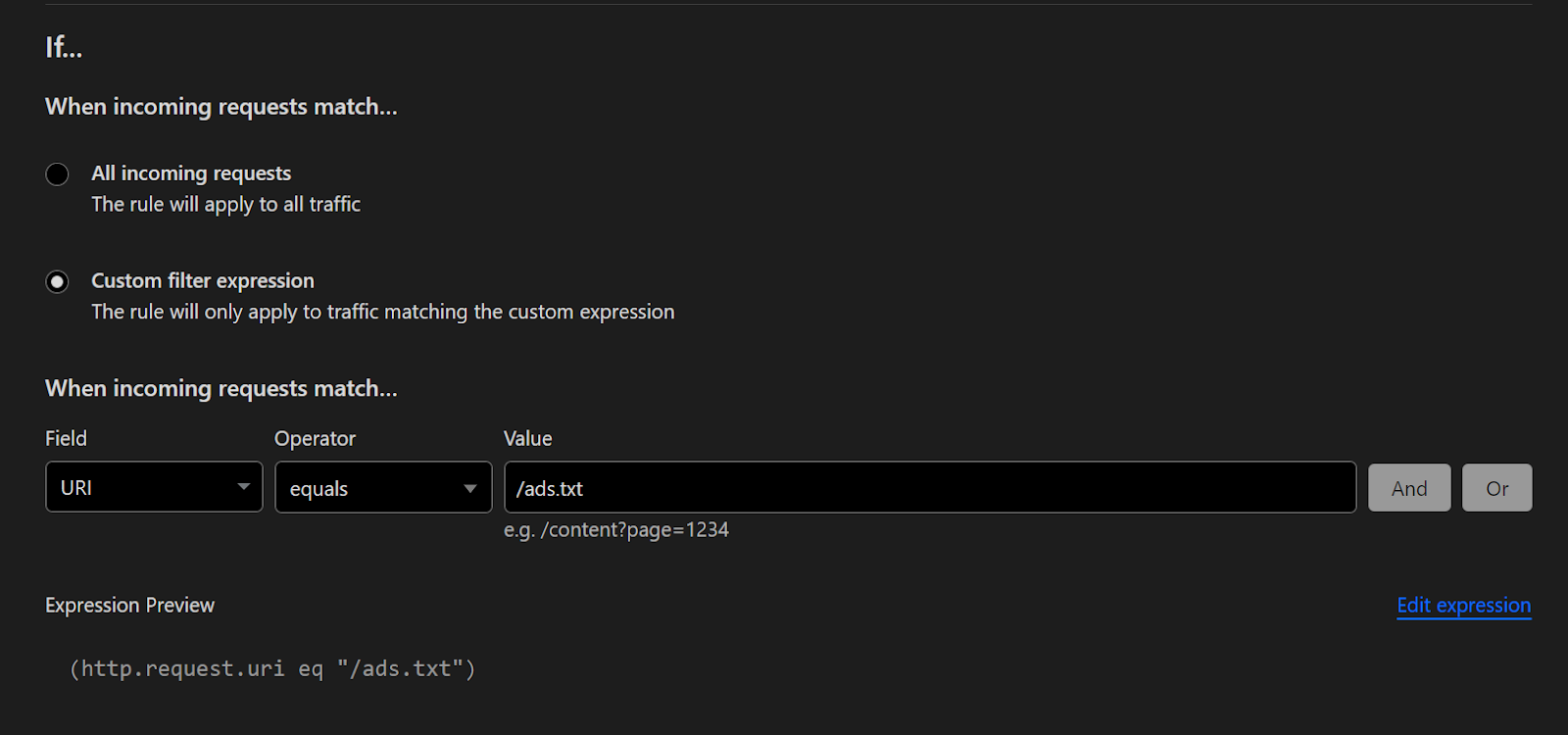
3. Set the “filter” to URI equals “/ads.txt”
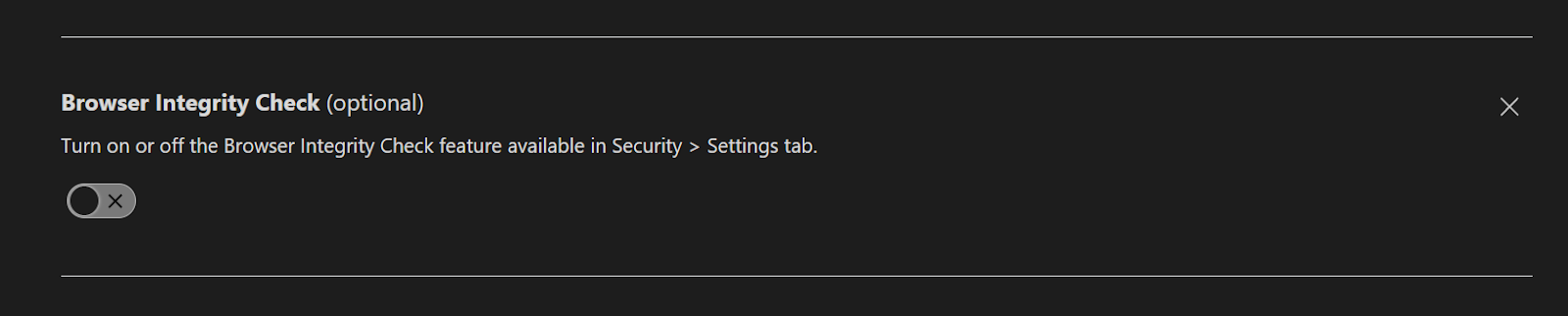
4. Click “+ Add” button next to “Browser Integrity Check” and leave this option disabled
5. Click “+ Add” button next to “Security Level” and set to “Essentially Off”

6. Save and Deploy the rule
This will prevent CloudFlare from blocking crawlers trying to access /ads.txt